Character
Systems & comfort
The active systems and the commands that shorten the routine.
Main systems
Shortcuts to the active systems.
- Hunting MissionsO · target, progress and reward.
- Drop toolsZ or ~ · Collecting; P · filter.
- Search Shop and offline shopsJ · search; K · management.
- Ranked Arena 3v3Solo queue · teams of three · leaderboard and history.
- Referral systemF8 · invitation and rewards.
- Event CalendarF6 · schedule and time left.
- CraftingMaterials, Yang and result.
Keys and shortcuts
The keys that open the everyday windows, and the inventory combinations.
| Key or combination | What you open or do |
|---|---|
| Windows and actions | |
| O | The Hunting Missions |
| Z or ~ | You pick up the items on the ground |
| P | The Loot Filter |
| J | Search Shop, only in Village 1 |
| K | The Trade Hub, for your offline shop |
| F6 | The event calendar |
| F8 | The referral system |
| F9 | You pause or resume the chat |
| X | The Channels window |
| TAB, held down | The large Kingdom War panel |
| M | The large map |
| Alt + M | The friends list |
| C | The character window |
| V | The skills |
| N | The quests |
| I | The inventory |
| L | The chat log |
| Left Shift + Space | Ninja with a bow: you always attack the nearest enemy within the bow's range (Kite) |
| Ctrl + A | In the chat and in private messages: you select all the text |
| In the inventory | |
| Shift + right-click | You add the item to Quick Sell or take it out of the selection |
| Ctrl + right-click | On a chest: you see what it can contain. On the Bravery Cape, held down: you see the cape's range |
| Alt + right-click | On a refillable elixir or on the Archer's Quiver: you open the refill window |
| Ctrl + left-click | You move the item to the open trade or storeroom; otherwise you put it in the quick access field |
| Shift + left-click | You split a stack of items; with Multiple split, into several stacks at once |
| Alt + left-click | You put the item's link into the chat |
| Horse | |
| Ctrl + G | You get on your horse or mount, or get off |
| Ctrl + H | You get on the horse you summoned, or get off it |
| Ctrl + B | You send the horse back |
| Ctrl + F | You feed the horse |
Everyday comfort
Inventory and market
- Inventory180 slots, split across four pages.
- CostumesThe Costumes button in the inventory opens the Costumes window; the old hairstyle slot in the equipment window is gone.
- StackingPurchases, items produced by crafting and items received in a trade are added automatically on top of the existing ones. The Stack items button in the inventory gathers the stacks of the same kind in one place.
- Trade safetyIf you receive nothing in return, the trade asks for an extra confirmation.
- StoreroomCtrl + left click moves the item in both directions. That is also where you buy bars, so you can hold large sums without taking up slots; the largest, Gold Bar (500 Million Yang), costs 505,000,000 Yang.
- Quick SellShift + right-click on an item adds it to the selection, with a 40% tax shown before you confirm.
- PriceType
10kkdirectly for 10,000,000 Yang.
Channels and communication
- ChannelsSix channels, switched directly from the client.
- Channels windowThe X key opens it: the current channel is shown in green, the previous one in blue and the one you select in red.
- Group and friendsInvitations work across channels.
- Offline messagesThey are delivered at the next login.
- AutochatIt repeats your last shout every 30 seconds for 4 hours, then stops by itself. Each activation resets the timer.
- Chat pauseThe Chat button or the F9 key pauses the chat and resumes it, so you can read the messages.
- Yang ChatThe panel with the Yang you picked up can be hidden with its button and stays hidden even after you change channel or restart the client.
- HelpersTwo players who help with questions. You find them in a separate group in your friends list and can write to them directly from there. They are not part of the administration team.
- Last channelWhen you log out, the channel you were on stays selected.
- LIVE announcementAccepted promoters can send one announcement every 3 hours, with the Creator’s Seal.
- GiveawaysPromoters can give away free prizes directly in game. You can join from level 30 or after 5 hours of play time, only once per account, computer and network; after the draw, the promoter checks their conditions before handing over the prize. You can hide them in Game options, under “Giveaways”.
- For promotersYou need the Creator’s Seal. You can start at most 3 giveaways in 24 hours, with 10 minutes between them, and the estimated value of the prize must be between 20,000,000 and 5,000,000,000 Yang.
- Long messagesThe chat accepts longer messages, and the text in the chat and in private messages can be selected, copied and pasted; Ctrl + A selects everything.
- Guild symbolIt updates instantly, and the upload window has a list of images and also accepts .png files.
Options and display
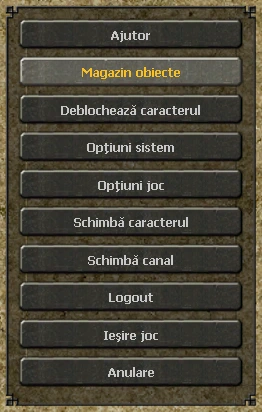
- Unlock the characterYou find it in the main Options menu.
- LevelYou can hide it above the character.
- StonesYou choose exactly which stone is removed from the equipment.
- BonusesYou search without diacritics and see the source of each bonus.
- MapSmall bosses are shown in yellow and big ones in red.
- BaitThe Fisherman sells packs of 50.
- UI scaleIn System options you choose the size of the windows. For now the inventory, the minimap and the chat text are scaled.
- Skill cooldownIn Game options you can display the seconds left until a skill is ready again.
- Item highlightAlso in Game options you choose how newly received items are marked in the inventory.
- Wind ShoesThe 7-day ones appear as an effect at the top of the screen and no longer take up an equipment slot.
- Veteran badgeOld accounts have a badge on the portrait in the character window; its tooltip tells you why you have it.
Client and performance
- Graphics engineDirectX 9, 9Ex or 11, chosen from the config.
- WindowResizing, large scaling and dedicated graphics card.
- PerformanceYou control the distance, the shops, the shadows, the camera and the fog.
- LanguageRomanian or English, from System options or the config.
- DiagnosticsTechnical errors are reported automatically.
- OptimisationsAreas with many monsters and many effects have been optimised, and skills and effects deform to follow the terrain of the map.